
Hotel revenue management software helps an operator estimate demand and evaluate prices, restrictions, and room mix. It can improve decision speed when the data is reliable and the team can understand and review changes. Compare a hotel revenue management system using an actual period of your property’s history, current sales goals, available room types, and documented controls. Evaluate forecast quality and the rate decisions staff must make every week.
Choose which result the hotel wants to improve
Start with occupancy, average daily rate, room revenue, and revenue per available room. ADR uses room revenue divided by rooms sold under the reporting definition used. RevPAR divides room revenue by available rooms and can also be derived from ADR times occupancy when the definitions agree. Review net revenue after distribution and other relevant costs so pricing high on a costly channel is not mistaken for a better overall outcome.
Suppose a hotel sells 63 of its 90 available rooms at an average of $150 per room. Estimated room revenue is $9,450 and RevPAR is $105 under these simple assumptions. When rates differ by room class or channel, also track commission or other costs that affect the contribution. Ask how canceled bookings, out-of-order rooms, and taxes appear. A vendor comparison falls apart if systems calculate the same label from different data.
Check the history and forecasts from the same dates
Provide the same training period and sample data to each vendor. Check room inventory, revisions, booking dates, stay dates, cancellations, group blocks, and actual room revenue. Ask what the software needs to identify seasonality and what it assumes for a new property. Record unusual events, building work, and changes in market position. A week with several rooms sold out can limit observations of unmet demand.
Choose upcoming periods that represent different properties of demand. Use an ordinary weekday, a local event weekend, and a low season stretch, for instance. Show when reservations are typically made and verify whether the system explains changes as dates approach. Ask whether it forecasts by segment, room class, and channel when those distinctions matter to your revenue decisions.
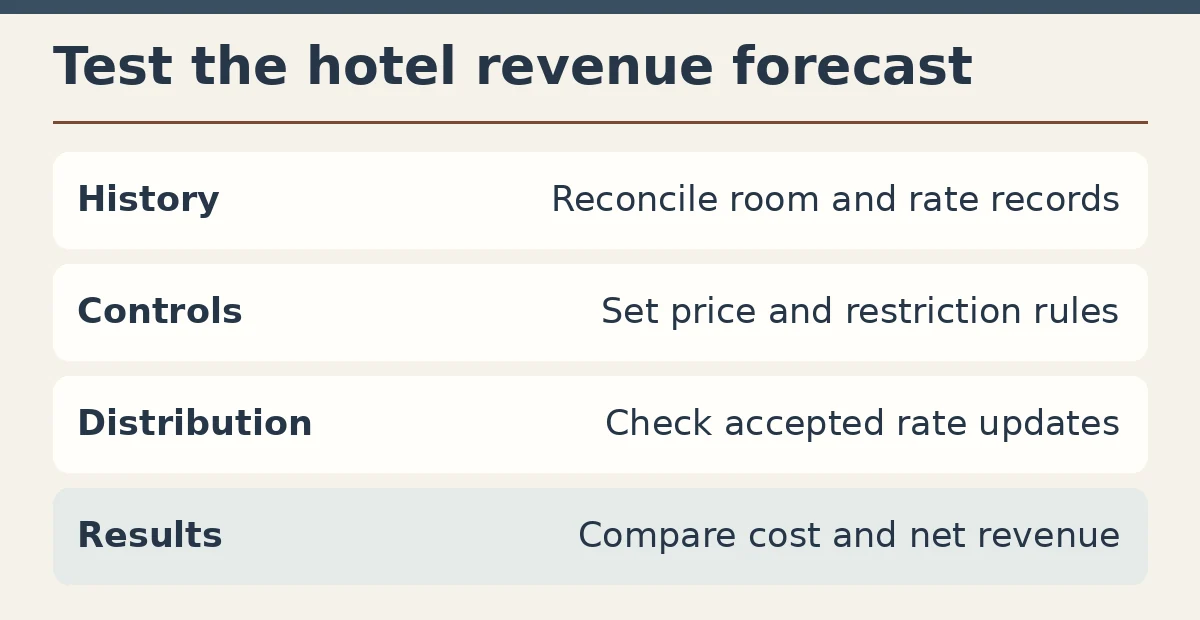
Compare recommendations with sensible rate limits
Ask the vendor to demonstrate how rate floors, ceilings, room-type offsets, length-of-stay restrictions, and maximum daily moves are set. Give it a scenario where demand changes sharply and see how it handles an alert. Find out who can approve or override a rate, when the override expires, and how the hotel can recover from a mistake. Ask which output requires a separate connection to a booking engine or distribution system.
When demand changes, pricing alone may not be the best answer. A longer-stay restriction can affect access to a busy weekend, while a room-type mix change can help use available inventory. Discuss operational constraints with the sales and front-desk teams. Ask the vendor to explain what changed in the demand forecast, why it suggested the action, and what risks the property assumes by following it.
Compare costs after commissions and concessions
Ask for a report with the sold price, commission, discount, and relevant transaction or channel charges. A hypothetical $175 room sold with a 17% commission produces $145.25 after that commission, before other costs. A direct sale of the same room may have marketing and payment costs that belong in its own row. Compare the net effect across plausible bookings and consider cancellation policies and ancillary spend when there is reliable data.
If a vendor reports revenue uplift, ask which dates, properties, assumptions, and channels are included. Review data you can audit. Compare the recommendation with a baseline you can explain, such as past manager decisions made on the same dates or a documented simple forecast. A short observation period and changes in local demand can limit what you can conclude from a single percentage.
Determine who can publish rates and correct a failure
Ask which system owns rates and restrictions, what receives them, and whether updates are acknowledged. Test an out-of-range recommendation using a safe demonstration environment. Record how monitoring identifies an unexpected rate or a failed channel update. Review alerts, access permissions, and the log used to explain why a rate changed. Agree on staff responsibilities during nights and weekends.
Have the vendor show the daily workflow in both review and automatic modes, if offered. Start with human review during a test period and compare outcomes with pre-defined success criteria. Look for the effort needed to correct recommendations and the burden of responding to false alerts. If the hardware or internet fails, ask how the team can see last published rates and pause automatic actions appropriately.
Measure success over a useful trial
Before the trial, save forecast errors, rate change time, reporting effort, and net room revenue by segment. Select suitable comparison dates and annotate unusual events. Enter the software and implementation price separately. Decide how you will evaluate the process when a stronger market brings more revenue regardless of software.
After several meaningful cycles, examine forecast accuracy for near and farther dates and staff time spent resolving exceptions. Compare the pricing and inventory changes actually adopted. Keep examples where a recommendation helped and cases where it did not. A useful revenue management system should make its inputs, recommendations, and consequences visible to the people responsible for hotel performance.
Define pickup and pace before using them for a price change
A hotel can compare rooms added or canceled since yesterday, last week, or the same point before a prior stay date. Record which comparison each report uses. Evaluate a date when confirmed production accelerated because of a group block and another when several small segments moved. Ask the vendor what is counted when a block is held but rooming lists have not arrived. A stronger pickup number makes a better decision only if you know what changed.
Review occupancy for each date and compare site events that might make last year a weak reference. Look for areas with low advance bookings because rooms normally sell closer to arrival. Ask whether the system can identify those periods and display its rationale. Tell staff which signal needs manager review before rates change. Save what was known at the time so you can later compare the decision with the eventual results.
Review group demand against expected transient business
A hotel deciding whether to take a group can compare the room nights, price, concessions, and meeting revenue with a forecast of bookings that the group might displace. Ask the revenue system how it considers room type, dates, and contract options. Use a worksheet with a day-by-day calculation and check how promised room blocks change available inventory. Mark dates in which rooms are not likely to sell out.
Ask the vendor to explain the data behind a recommendation. Give it a scenario where a group cancels or uses only some of its committed rooms and another where transient demand rises. Compare net room revenue rather than looking only at a headline group rate. Keep uncertain food or event assumptions separate. The exercise shows whether the software can support a sales decision the manager can justify without accepting an unexplained score.
Compare two approval models without changing the live rates
Use a staged environment or vendor demonstration. Select example dates with strict rate floors or a planned promotion. Ask the system to propose changes for each date and have a manager approve only part of them. Record which changes can be held, reversed, or time-limited. Have the vendor show how rate overrides are documented across property and distribution systems.
Then model a seasonal sale that needs different conditions on weekdays and weekends. Ask which rules take priority and which plan IDs would be affected. Staff should be able to identify whether a recommendation was blocked and why it was blocked. Clarify how support would contact the hotel during an issue and who can restart automated publishing after a documented check. Put these steps in the purchase criteria before signing.
Compare forecasts near arrival and far in advance
Ask each vendor to forecast the same dates at 30, 14, seven and one day out. Save each version and the actual rooms sold. Note whether rooms were out of order and how a group booking changed the forecast. Compare error in both directions. A forecast persistently underestimating demand on high-value nights can create different decisions from one overestimating on ordinary nights. Give software similar data to avoid comparing one product trained on more history.
If a vendor reports one accuracy number, ask what weighting, dates, and exclusions it uses. Request a table that shows errors by day and room class, as your operation needs. Examine which unexpected errors the tool highlights to staff. Check whether forecasts can be updated when a renovation changes capacity. The team needs to know whether a data problem is inherited from the PMS or introduced by a pricing assumption.
Model a sellout, a long stay, and an early cancellation
Create a scenario where the hotel is close to full on Saturday but has space on Friday and Sunday. Compare a two-night minimum with keeping the rooms available for one-night bookings. Ask how the system handles a long stay overlapping that date and what happens if it cancels late. Review price and revenue by day. Ask how rules affect the booking engine and channels. Have sales and operations review the test data together.
Then look at a group using meeting space with uncertain room pickup. Compare the potential room and ancillary contribution with the reservations that could be displaced. Put commissions and concessions into the comparison. Ask the vendor which fields can be changed and whether it produces an audit trail. A well-documented override may make it easier to judge the results later without discarding context about the event.
Ask the provider to explain the price of a second property
Get quotes for one location and a planned additional hotel if expansion is likely. Ask whether cost depends on rooms, revenue, features, data connections, or the number of users. Include training, data feeds, setup, and any marketplace integration. Compare how each property sees its own forecast and what the regional team can view. Clarify whether independent data or market knowledge is included.
If the rollout faces a price freeze or manual rate period, define how decisions will be tested without changing guest-facing rates. Ask which forecasting records remain accessible if the operator leaves. Save evidence after the demo and after implementation. A documented selection makes trial claims easier to interpret and gives the team clues for how to improve its own pricing process.
Record changes the trial did not cause
Keep a dated list of changes such as road works, one-time group business, reopening rooms, promotions, and changed distribution fees. Compare the same week of day-to-day demand before judging forecast quality. When a vendor claims improvement, identify the actual change the tool recommended and the hotel adopted. Follow the outcome to confirmed stays and net revenue where available. Some promising recommendations will not be applied because they fail an operational check. Include manager time and accepted changes in the trial record as well as the forecast numbers.
Connect this comparison to the rest of the hotel
Use the same room sales and reporting records in pricing and financing exercises. Managers can identify the source of each number when forecasts or rate updates change after systems connect.
For related decisions, use the hotel PMS evaluation guide, the hotel PMS cost comparison, and the hotel financing and cash-flow guide.
Sources consulted
STR — Glossary of hotel performance metrics