
A hotel guest can unsubscribe from an offer, book through a new channel and give the desk a different address on the same day. If the PMS, guest CRM and email platform each consider only their own updates, an ordinary import can make the guest eligible for promotional mail again. The most useful test follows a preference to every system that can select or send a campaign. It also tests the separate path the property uses for essential communications about an active stay. Build the audit around actual access, ownership and timelines rather than a checkbox shown in a demo.
Map systems that collect, edit or use guest preferences
List the hotel’s booking engine, property management software, CRM, email service, brand services and vendors that send messages. For each, record the contact keys, data fields used for preferences, roles that can edit them, updating schedule and the owner of the integration. A front-desk profile may be updated immediately while the marketing platform uses an overnight export. Identify what can happen in the gap. Map which properties and message types share a preference and how that scope is represented. A company that manages several independent hotels may have different responsibilities for each database and sending domain.
Choose fields a reviewer can trace, such as contact identifier, email, preference type and scope, source, date, policy version and processing time. Give the staff a way to review records without opening everything about a guest. Use invented contacts or an approved vendor test environment for the trials. Separate the platform that stores a profile from the one that builds the campaign audience. An opt-out may be correct in the CRM and still missing at the point that determines whether a message is sent. The interface owner needs a visible way to check that final condition.
Separate campaign email from operating messages
The FTC's CAN-SPAM compliance guide discusses the primary purpose of commercial and transactional or relationship messages and the requirement to honor opt-outs within 10 business days for covered commercial email. It also covers mixed messages. Have the relevant owner or adviser review actual templates and other rules that apply. A routine reservation confirmation, a change to a stay and a promotional return-stay offer may have different purposes even when all originate from the same software. A marketing restriction should be reflected in the appropriate promotional workflows without relying on a front-desk employee to interpret it.
A hotel can choose a faster operational target and verify how vendor systems deliver it. Record the time the person makes the request and the time it reaches the final sending platform. Keep campaign segments separate where necessary and identify what happens when promotional content is combined with a service message. Review pre-arrival and post-stay sequences with the people responsible for actual sending. If a vendor sends mail on the hotel’s behalf, name the party handling opt-outs and the person who will correct delays. Make the process visible at each connected property.
Test an email update, duplicate and import
In an illustrative case, a fictional guest opts out through the marketing platform at 9:17 a.m. The CRM receives that update at 9:20. At 9:25, the guest’s email changes at the desk. Verify the preference stored in the profile and whether the next audience includes either address. The handler should understand whether the scope follows the address, identity, or another approved policy key. Check the systems the hotel and its vendors operate under the governing rules. Compare the time the event occurred with the time a provider actually applied it.
Simulate importing an older booking list with the former address and a missing preference field. Review the storefront or provider’s merge and import rules. A blank field should have a defined meaning rather than automatically overwriting an existing restriction. Ask who can change the import behavior and how a duplicate record would be resolved. If two platforms can modify the same field, test arrival out of order. Give the team a way to detect failed writes and document the discrepancy, rather than building a system where a later export silently supersedes a guest request.
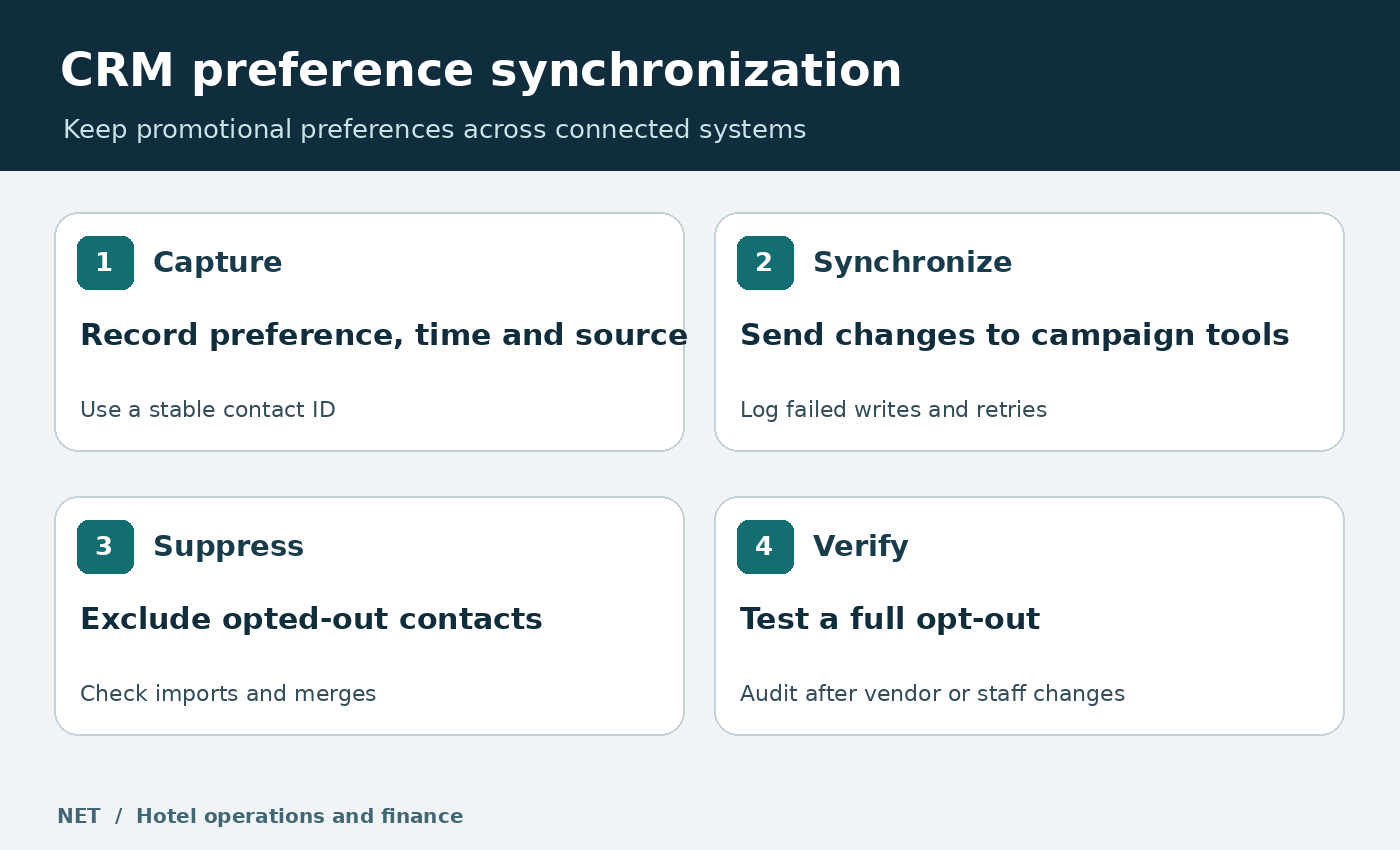
Verify a scheduled campaign before it sends
Some services build a campaign audience hours before a planned delivery. Test whether the service applies current suppression when sending or relies on an older stored recipient list. In the test environment, create a campaign snapshot and opt out a fictional contact between the snapshot and simulated send. Ask how a queued message is handled and what action an authorized operator needs if the send cannot be recalled. Check which support contact can document it. Keep the result with the relevant platform settings and review again following a provider update.
Run a group or delegated reservation case. A travel arranger can book for guests using an organizational address. Ask whether the property has policy rules for associating the address with the traveler, arranger or corporate account. Check how approved service messages follow the current group contact and how promotional preferences remain accurate. For a booking-channel relay address, review the partner’s rules for use and retention. Staff should avoid merging or reusing contact data solely because two names or addresses look similar. Have the vendor demonstrate how duplicates and scope changes appear in a reviewable export.
Reconcile interfaces during outages
Ask the provider how a preference update queues, how it is acknowledged and what happens when the receiving service cannot accept it. A system that marks most requests successful can hide a small set of rejected updates. Test whether retries can overwrite a newer choice with an older one, and whether staff can see which campaigns are at risk. Test simulated failures only in the provider’s approved setup. Build a safe operational response around troubleshooting the data rather than attempting to force communications into a stalled connection. Tell the manager the criteria for pausing a send according to the hotel workflow.
Reconcile campaign eligibility and applicable suppression states on a schedule. Review accounts changed since the preceding check, plus periodic samples of older contacts and imports. Identify campaign groups or properties where the choice has not propagated. Record the first time a discrepancy can be seen, the changes made, and the time the sender reflected the correct state. Fix the source or mapping when needed rather than removing one recipient manually from every upcoming campaign. Run a follow-up test with the equivalent fictional data and confirm the updated path through all applicable systems.
Check access, retention and vendor handover
Determine which employees can view guest preferences and which ones can approve changes to an audit or new data import. Ask who can review retention and transfer details if the hotel changes ownership or replaces the vendor. Use supported export and access controls and request legal or policy review for actual data rules. Preserve enough approved history to explain how a choice was applied without keeping unnecessary guest notes. Check whether the vendor’s data export includes the fields needed to move suppression states, whether references are stable and who can use the information after termination.
Before a cutover, test the same opt-out and merge cases on both platforms. Compare the resulting delivery states using accepted test records. If the hotel migrates only active members, a vendor may omit older records it did not treat as active. Verify which preference or suppression information should transfer under the hotel’s obligations and approved plan. An import success report can disagree with the campaign audience. Ask the operators to prove what happens to a test contact in the outbound system before closing access to the old service.
Train the people who see a problem first
Give the front desk a clear step for recording a guest’s request and the escalation point if the expected control is unavailable. Have the marketing team use the correct process when it receives a complaint about an old campaign. The employee should find the contact and event without posting guest information in a general discussion. Plan a response for situations where the source system disagrees with the sender and identify who reviews the disputed record. Any communication about an actual case should follow hotel procedure and reflect what is confirmed.
Use a brief training exercise with a test guest that has two profiles. Ask staff to update the address, make a preference change and review whether the next simulated campaign would select it. Record the source, state, owner and elapsed time. Repeat after onboarding a vendor or accepting a new version that changes sync logic. If the hotel’s policy uses different rules for a promotional email and an active-stay communication, test those paths separately. Document the person who can approve a change to either workflow and the source showing what the property promised.
Put the acceptance criteria in the implementation scope
Ask which error reports and exports the provider will deliver, how it avoids stale preference changes and who supports outages involving more than one vendor. Request a demonstration using fictional scenarios drawn from the hotel’s workflow. Confirm that marketing, reservations and the company responsible for guest records agree on the behavior before go-live. Establish what needs to be tested if the vendor updates the interface. A pass should mean the guest’s applicable preference governs the relevant sending platform and the team can reproduce the result from a dated record.
Decide how to handle a large import before a campaign
Suppose a hotel loads 4,000 older contacts before a seasonal send. Of those records, 200 match an existing contact and 50 are marked with restrictions. These counts do not show which addresses should receive the promotion. Ask the responsible team to compare imports with the applicable suppression record, review ambiguous scopes and identify who can release the audience. Test a few deliberately conflicting fictional records before processing real data. A system that accepts every row can still misclassify an individual whose preference had changed since the export.
Check whether the platform stores the raw import and who can retrieve it later. Review how to roll back an accidental update through approved procedures. Keep the correct preference state independent of a single campaign list. If an automated segment is refreshed, test whether it reads the final state or source field from an earlier time. Use a snapshot of eligibility and suppression, with clear owners and test dates, before approving a live campaign that includes those contacts.
After an error, report the number of affected test or actual records, when the source was corrected and whether the sender applied the new state. A second review can verify whether any other campaigns inherited the same data.
Use the hotel CRM software guide for procurement and operations, hotel property management software for data ownership, and hotel booking engine software for fields captured in direct reservations. The dashboard matters because it gives staff a record, and the final acceptance check is what the actual campaign audience and service communications do with that record.